
This is one of the most eye-opening things you can do in Search Console.
It answers a deceptively simple question:
“What pages does Google think exist on my site?”
Not what you think exists.
Not what your CMS says exists.
What Google believes exists.
Sometimes the answer is reassuring. Sometimes it’s… surprising.
Either way, this Lab gives you clarity instead of guessing.
Why This Matters (Before We Touch Any Buttons)
Google does not see your site the way you do.
You see:
- Navigation
- CMS page lists
- “Current” content
Google sees:
- URLs it discovered at any point in time
- Pages that still resolve
- Pages that used to matter
- Pages no one meant to publish
- Pages no one remembers anymore
This is another reason why SEO can feel random sometimes.
Before you fix anything, you need to see Google’s reality, not yours.
Method 1: Use Google Search
Fast, Imperfect, Still Useful
This is the quickest gut check.
Step 1: Run a site search
Open Google and type:
site:yourdomain.com
This shows pages Google currently has indexed.
What to Know About This Particular Method
Important caveats:
- This is not a complete list
- Google only shows a sample
- Ordering is not meaningful
But it’s still useful. Why?
Because if you see pages you:
- Forgot about
- Didn’t know existed
- Thought were deleted
- Wish no one could find
That’s a signal worth paying attention to.
This method is good for:
- Quick sanity checks
- Spotting obvious junk
- Confirming whether a page is indexed at all
It is not enough on its own and why you should use the below method as well.
Method 2: Use Google Search Console
This Is the One That Matters
Search Console is where Google tells you the truth it’s willing to tell.
Step-by-Step
- Open Google Search Console
- In the left-hand menu, click Pages under Indexing
- You’ll see two main sections:
- Indexed
- Not indexed
Do not skip straight to panic.
This view is not a report card.
It’s a diagnostic.
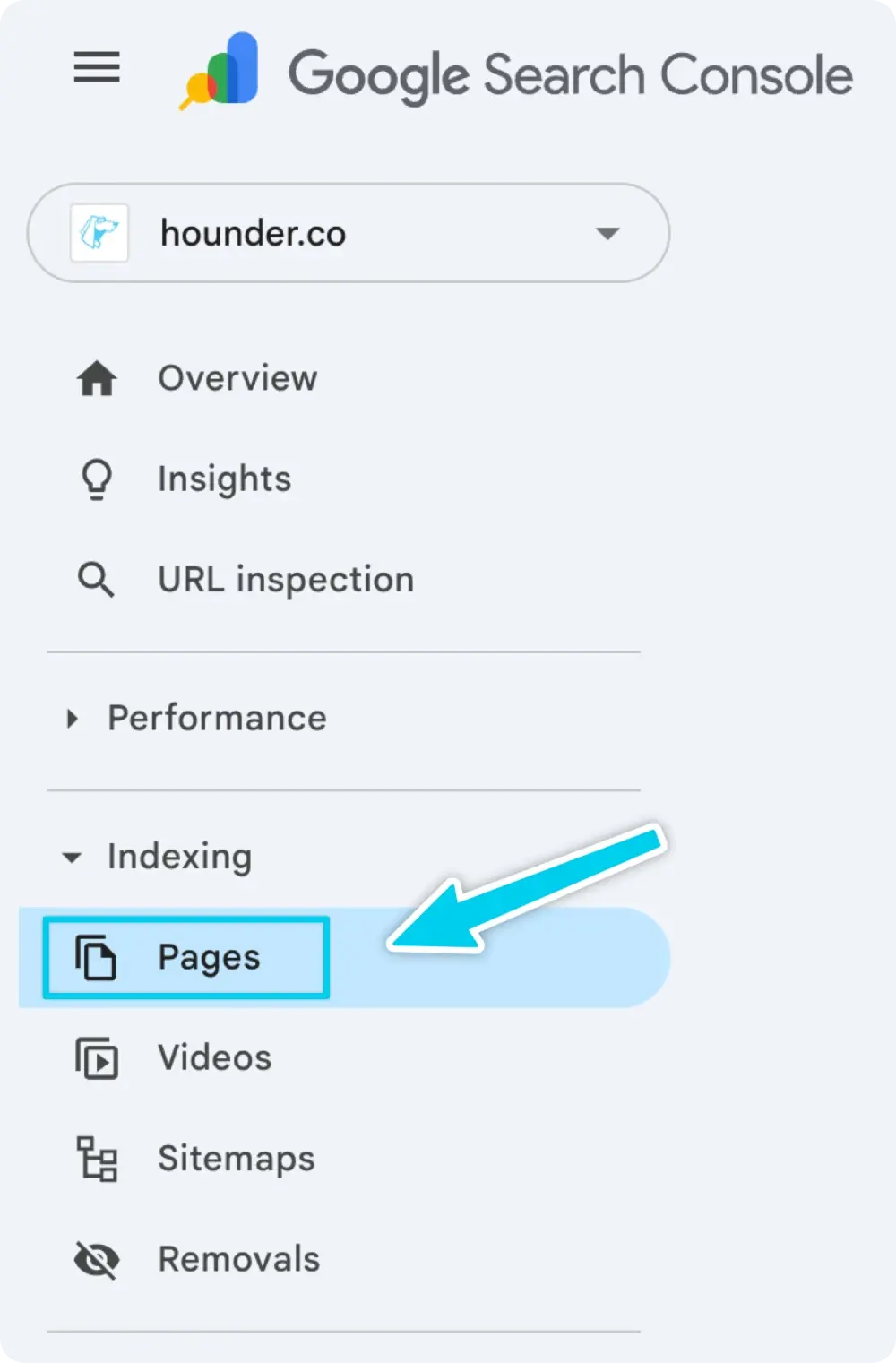
Step 1: Click Into “Indexed”
This shows the pages Google has chosen to include in search results.
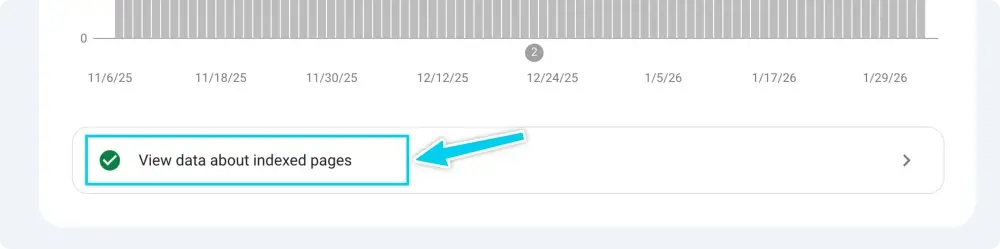
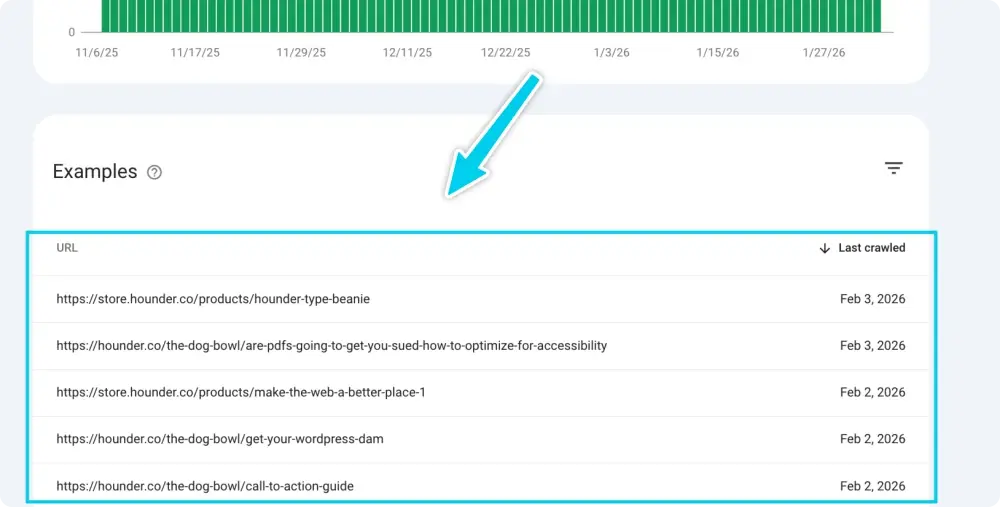
You’ll see:
- A list of URLs
- Counts grouped by reason
- Patterns in what Google is prioritizing
This is Google’s version of reality.
Not opinions.
Not intentions.
Observed behavior.
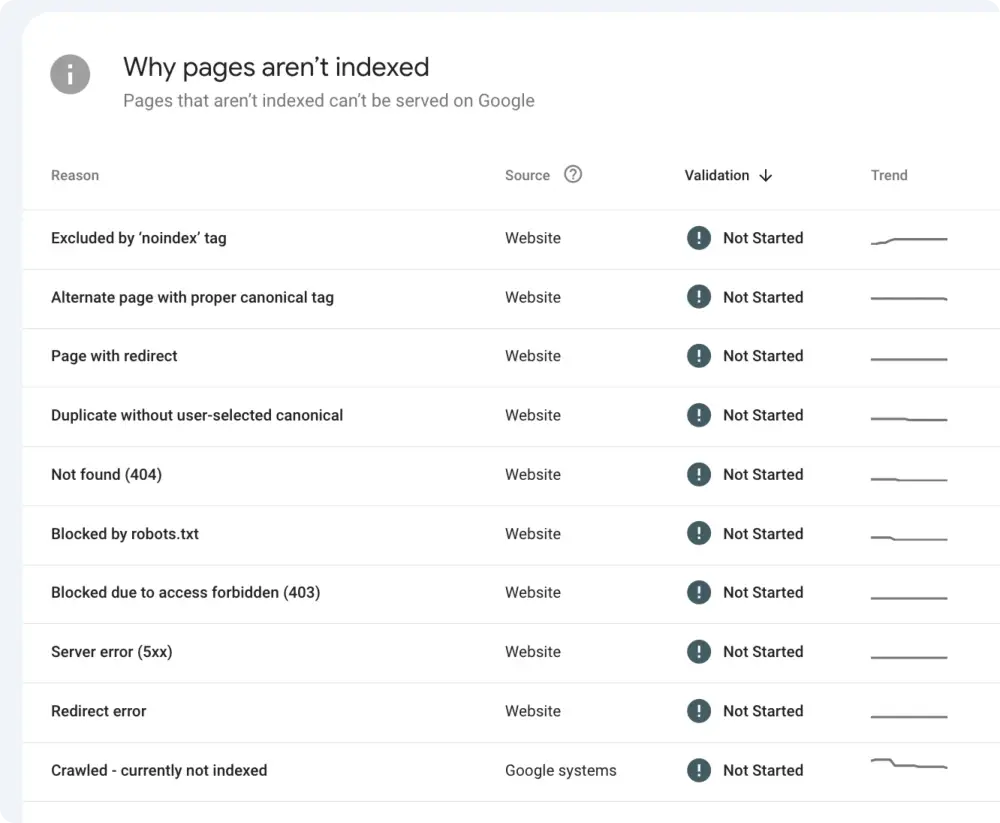
Step 2: Click Around the “Why pages aren’t indexed” Section
This is where people usually freak out. Don’t.
Many pages should be here.
Common reasons include:
- Crawled but not indexed
- Discovered but not indexed
- Noindex directive
- Duplicate, Google chose another canonical
This section tells you:
- What Google found
- What Google ignored
- And sometimes why
You are gathering information, not fixing it yet.
What to Look For (This Is the Important Part)
As you scan both lists, ask these questions slowly.
Are important pages missing?
If a page you care about isn’t indexed, that’s a priority signal.
Are old or irrelevant pages still indexed?
Outdated campaigns, old blog posts, abandoned resources. These dilute focus.
Are test, staging, or internal pages showing up?
This usually points to a structural or configuration issue.
Are there duplicate versions of the same page?
www vs non-www, trailing slashes, parameters, etc.
Are there patterns?
Entire sections indexed. Entire sections ignored. That’s rarely accidental.
Write things down.
Do not fix yet.
What This View Does Not Tell You
This is important for expectations.
Search Console does not tell you:
- Why a page ranks where it does
- Whether a page is “good” or “bad”
- Whether a page will ever rank
It tells you:
- What Google can see
- What Google has chosen to keep
- What Google has chosen to ignore
That’s enough to make good decisions.
How to Think About This
Here’s the mindset shift that matters.
This exercise is not about catching mistakes.
It’s about alignment.
You want three things to match:
- What you think exists
- What your CMS says exists
- What Google believes exists
When those three are out of sync, SEO feels broken.
When they align, everything else gets easier:
- Keyword targeting
- Content planning
- Cleanup decisions
- Internal linking
- Indexing fixes
Also, a hard truth:
If Google has indexed something, it’s because at some point, your site told Google it mattered.
This Lab isn’t about blame.
It’s about responsibility.
What To Do After This Lab
Once you’ve seen Google’s version of your site:
- Flag pages that should not exist
- Flag pages that should be indexed but aren’t
- Flag duplicates and odd patterns
- Leave everything else alone for now
Clarity comes first.
Action comes next.